- ダウンロード商品¥ 1,000
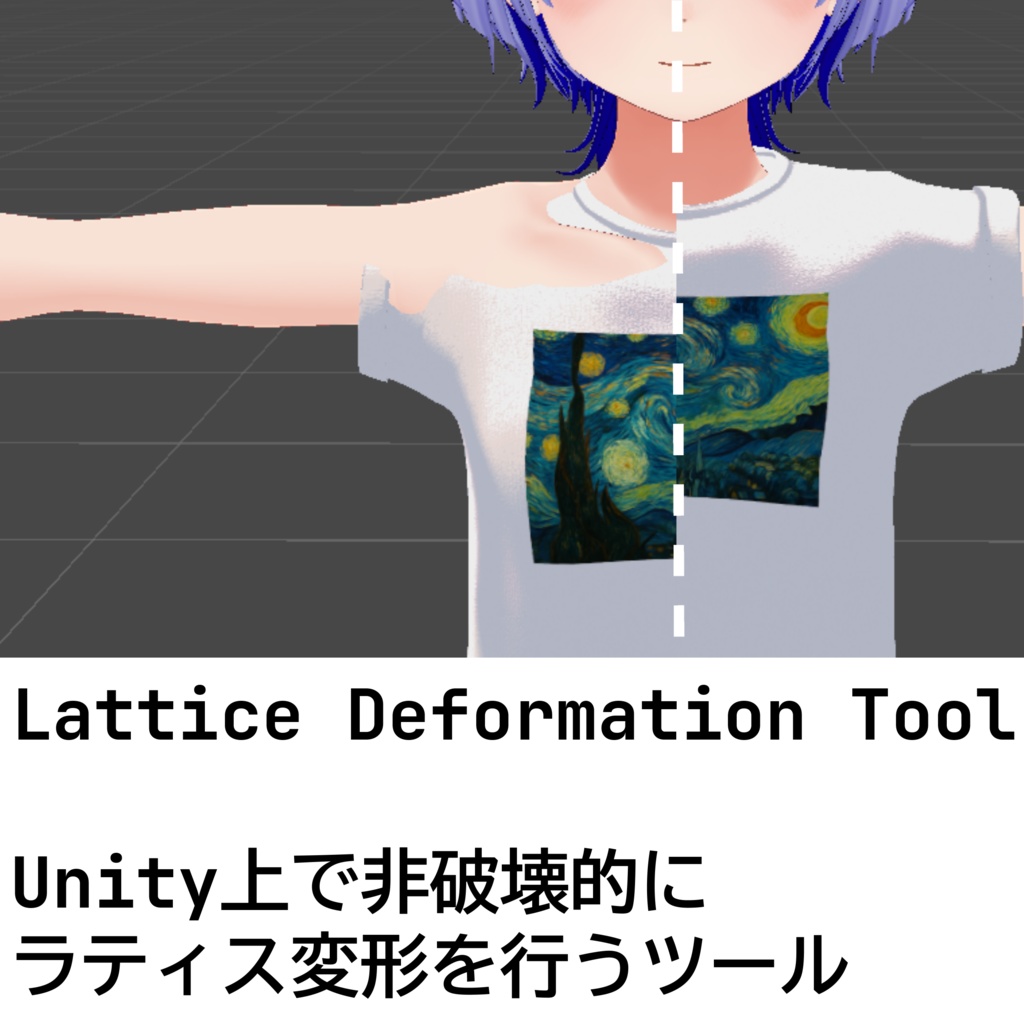
衣装が体に合わない。アクセサリーがちょっと大きい。お腹まわりをもう少しだけ細く。 そんな「あと一歩」の改変作業を、Blenderを開かず、Unityの中だけで、元データを一切壊さずに完結させるためのエディタ拡張です。 Blenderでお馴染みの「ラティス変形」や「スカルプトブラシ」「頂点編集」をUnity上で再現しました。格子状のコントロールポイントをマウスでつまんで動かすだけ、ブラシでなでるだけ、頂点をつかんで動かすだけ。難しいモデリング知識は不要で、Scene ビューで見たまま・触ったままに形が変わります。 Non-Destructive Modular Framework (NDMF) と連携しているため、編集中も元のメッシュファイルは一切書き換えられません。やり直したくなったらコンポーネントを外すだけで元通り。Unity 2022.3 以降、VRChat SDK 環境で動作します。 ------------------------------- The outfit doesn't fit. The accessories are a little too big. I want to slim down the waist just a bit more. This editor extension allows you to complete those "almost there" modifications entirely within Unity, without opening Blender, and without destroying any of the original data. It recreates Blender's familiar "lattice deformation," "sculpting brush," and "vertex editing" features within Unity. Simply drag and move the grid-like control points with the mouse, stroke with the brush, or grab and move the vertices. No advanced modeling knowledge is required; the shape changes exactly as you see and touch it in the Scene view. Because it works with the Non-Destructive Modular Framework (NDMF), the original mesh file is never rewritten during editing. If you want to start over, simply remove the component to revert to the original. Works with Unity 2022.3 and later, and the VRChat SDK environment.
特徴
NDMF を活かした非破壊メッシュ編集ワークフローを提供します。プロキシ上で変形結果をリアルタイムに確認しながら編集でき、アバタービルド時に初めて変形がベイクされるため、原本のデータを失う心配がありません。 MeshFilter / SkinnedMeshRenderer のどちらにも対応し、VRChat アバターや衣装・小物の微調整に最適です。 最適化された変形処理で、頂点数の多いメッシュでも軽快に動作します。
機能
3つの編集ツール ラティス変形: コントロールポイントのグリッドでメッシュ全体を滑らかに変形。X/Y/Z 軸ごとに「コピー」「ミラー」「反対称」の対称編集モードに対応 ブラシ変形: 頂点単位のブラシベース編集。法線方向 (Normal)・スクリーン方向 (Move)・平滑化 (Smooth)・マスク (Mask) の4モードを搭載。表面距離(測地線)フォールオフで重なった面への漏れを防止。X/Y/Z ミラー編集対応 頂点選択ツール: 頂点を直接選択して Move / Rotate / Scale 変換を適用。矩形選択や Shift/Ctrl による追加・トグル選択、プロポーショナル編集にも対応 レイヤースタック & グループ ラティスレイヤーとブラシレイヤーを自由に積層・合成。レイヤーごとにウェイト調整が可能 複数のデフォーマーグループに分割し、グループごとに独立したレイヤースタックを管理可能 レイヤーの複製・コピー&ペースト(異なるコンポーネント間でも可能) BlendShape 出力・インポート 変形結果を BlendShape として出力可能。 - 補間カーブ設定でフレーム補間をカスタマイズ ボーンウェイト再計算 変形後の衣装破綻を軽減するためのウェイト再計算機能 その他 Undo/Redo 対応 多言語ローカライズ(英語・日本語・韓国語・簡体字・繁体字) NDMFプレビュー対応 詳しい機能は添付の動画(デモ)やドキュメントをご参照ください。 https://vrc.32ba.net/docs/packages/vrc-lattice-deformation-tool/overview
内容物
・net.32ba.lattice-deformation-tool-X.Y.Z.unitypackage
動作環境
Unity 2022.3 LTS 以降 Non-Destructive Modular Framework (nadena.dev.ndmf) 1.9.0 以降
免責
本ツールは現状有姿 (AS IS) で提供され、特定用途への適合性や不具合の不存在を保証しません。 Unity 本体や VRChat、関連 SDK の更新に伴い動作が変化・制限される可能性があります。 ご利用に伴うデータ損失・不具合・損害について、開発者は一切の責任を負いません。 ご利用前に必要なデータのバックアップなど、保全措置をユーザーの責任のもとで行ってください。 ご購入前に必ず対応バージョン・使用環境を確認してご利用ください。 購入者による再配布は改変、未改変問わず固く禁じます。 ダウンロード商品の性質上、返品、返金等に応じることはできません。
サポート
最新のツールドキュメントはこちらを参照してください。 https://vrc.32ba.net/docs/packages/vrc-lattice-deformation-tool/overview 不具合報告やご要望は Booth のメッセージよりお気軽にお寄せください。 ただし、Boothのメッセージ機能によるサポートはBoothからの正規購入者、またはギフト機能などによって正当に入手したことが確認できるユーザーに限ります。
更新履歴
v1.4.3 - AAO併用時の編集パフォーマンスを改善 v1.4.2 - 各種不具合の修正 - 頂点数の多いメッシュ編集時のパフォーマンス改善 v1.4.1 - 旧バージョンで利用していたコンポーネントがアタッチ可能だった問題の修正 v1.4.0 - バグの修正 v1.3.1 - バグの修正 - 最新バージョンお知らせ機能の追加 v1.3.0 - ブラシ変形ツールの追加(法線方向 / スクリーン方向 / スムーズ / マスクの4モード) - 頂点選択ツールの追加(Move / Rotate / Scale + プロポーショナル編集) - レイヤースタックシステム(ラティス・ブラシレイヤーを自由に積層・合成)への移行 - BlendShape 出力・インポート機能の追加 - 貫通検出のハイライト表示機能の追加 - UI 改善: 統合ツール化、アイコン刷新、ツールチップ、右クリックメニューなど v1.2.1 - v1.2.0で修正できてなかった問題の修正 v1.2.0 - 変形時の格子が意図しない部分に描画される問題の修正 v1.1.0 - 軽微なバグの修正 - 変形後の衣装破綻を軽減するためのウェイト再計算を実装(ベータ) v1.0.1 - ラティスケージがレンダリングされている位置とは異なる場合(MAによるSetup Outfit後など)に手動で調整できる機能の追加 - 制御点の表示オプション強化: オブジェクトに遮られていても制御点を描画するモードの追加 - エディタ操作性の改善: ラティスボックス編集中にオブジェクトをクリックしてもフォーカスが移動しないように変更 - NDMF プレビュー機能における安定性向上と多言語対応の拡充(日英韓中対応) v1.0.0 初版公開
Special Thanks
以下のアセットを紹介動画内で使用しました -ハオラン-HAOLAN【オリジナル3Dモデル】https://booth.pm/ja/items/3818504 【FREE/セット衣装】PD Classic Overalls【マリシア対応】https://booth.pm/ja/items/7339754